
Skool for Bridgit.io: Crafting an
Organic Online Classroom
USER RESEARCH • UX DESIGN • PROTOTYPING
Overview.
Project Type.
Product Design
Duration.
4 months (July ‘20 - Nov ‘20)
Role.
Team Lead
Skills.
Information Architecture, Lo-fidelity wireframes, Journey mapping, A/B Testing
Introduction.
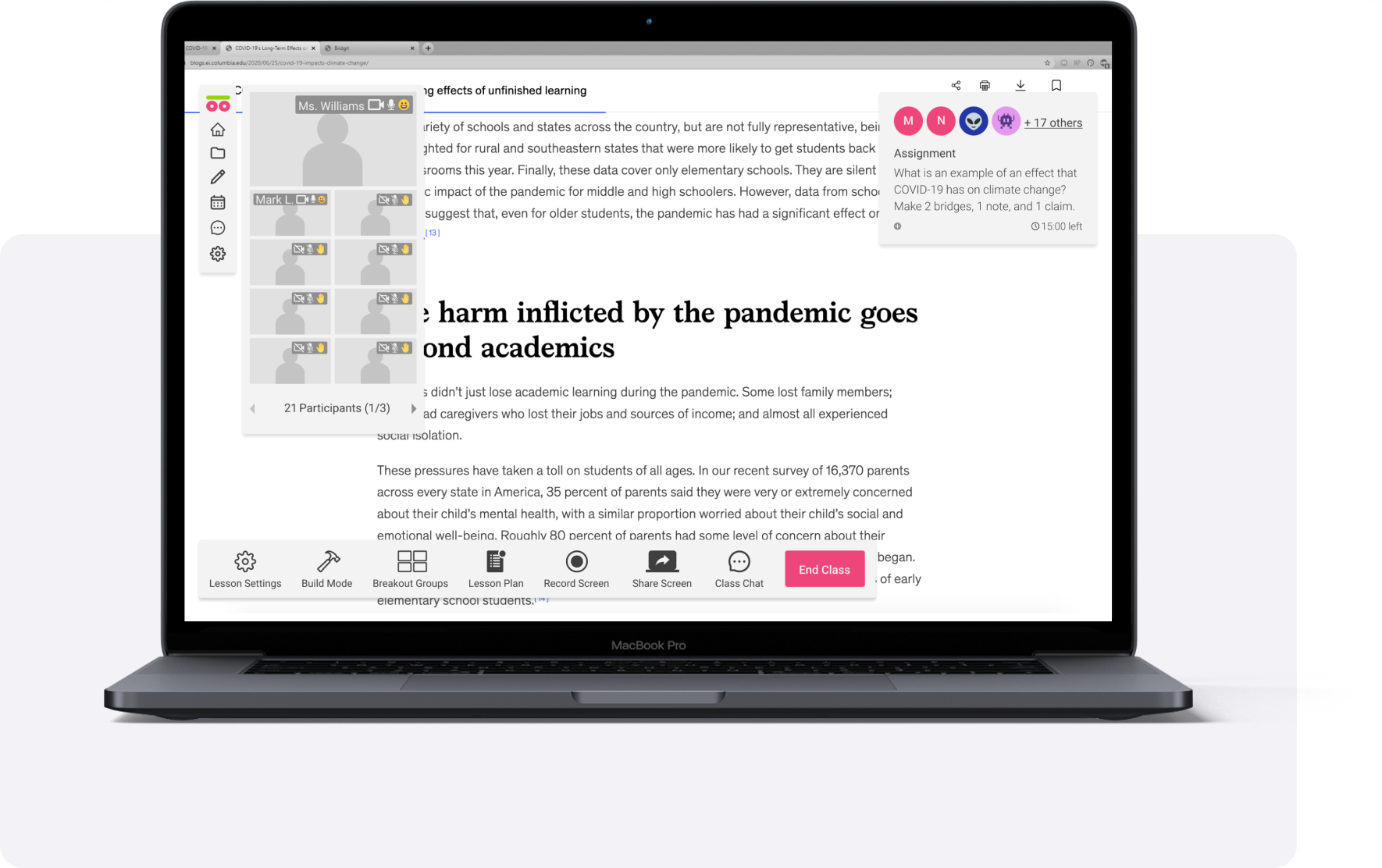
Skool is a browser extension that makes the web an interactive classroom. It is self-directed learning platform for students struggling with online learning in the wake of COVID-19 pandemic. By making the internet a structured yet expository space for learning, Skool enables students to succeed by engaging with their academics.
Problem.
Students struggle with classroom participation and assignment completion due to confusing online protocol. Teachers struggle with mimicking organic interactions that exist in an in-person classroom, making it difficult to assess their students and implore them to engage with the course material.
Solution.
By providing online learners and instructors with a single platform that offers organic interaction, the online classroom for virtual collaboration Skool can improve classroom engagement and simplify teaching assessment processes.
How might we improve students’ online classroom experience while simplifying a teacher’s assessment process?
Research.
Along with two user researchers, I analyzed interviews our CEO had previously recorded to identify users' pain points with existing learning tools. I worked collaboratively with our team’s dedicated user researchers to thoroughly understand our platform’s intended user and define a more efficient flow for them.
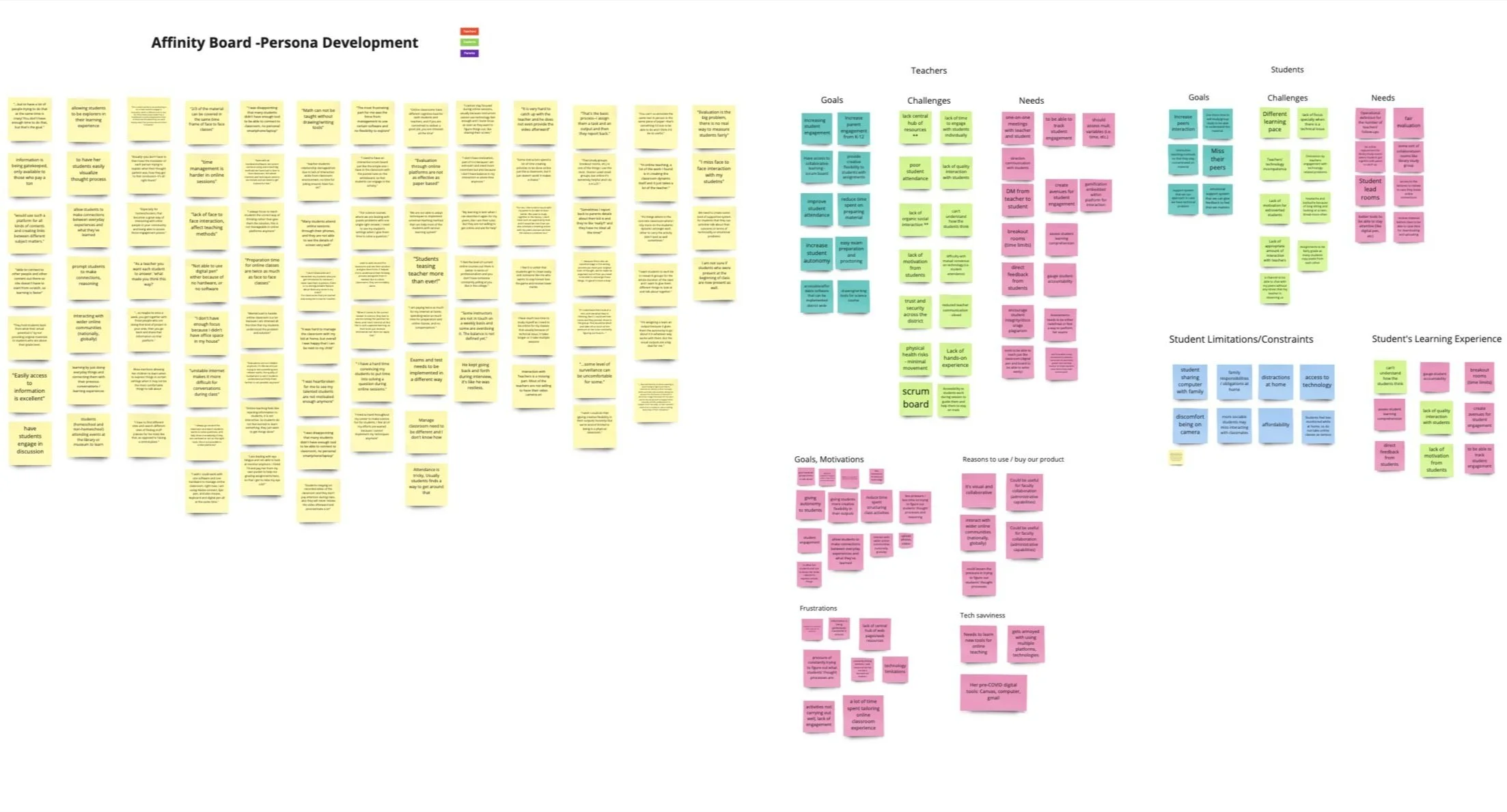
Affinity Map
With the feedback we gathered from these videos, the team used both empathy mapping and affinity diagramming to understand the frustrations, needs, and goals of teachers and students.
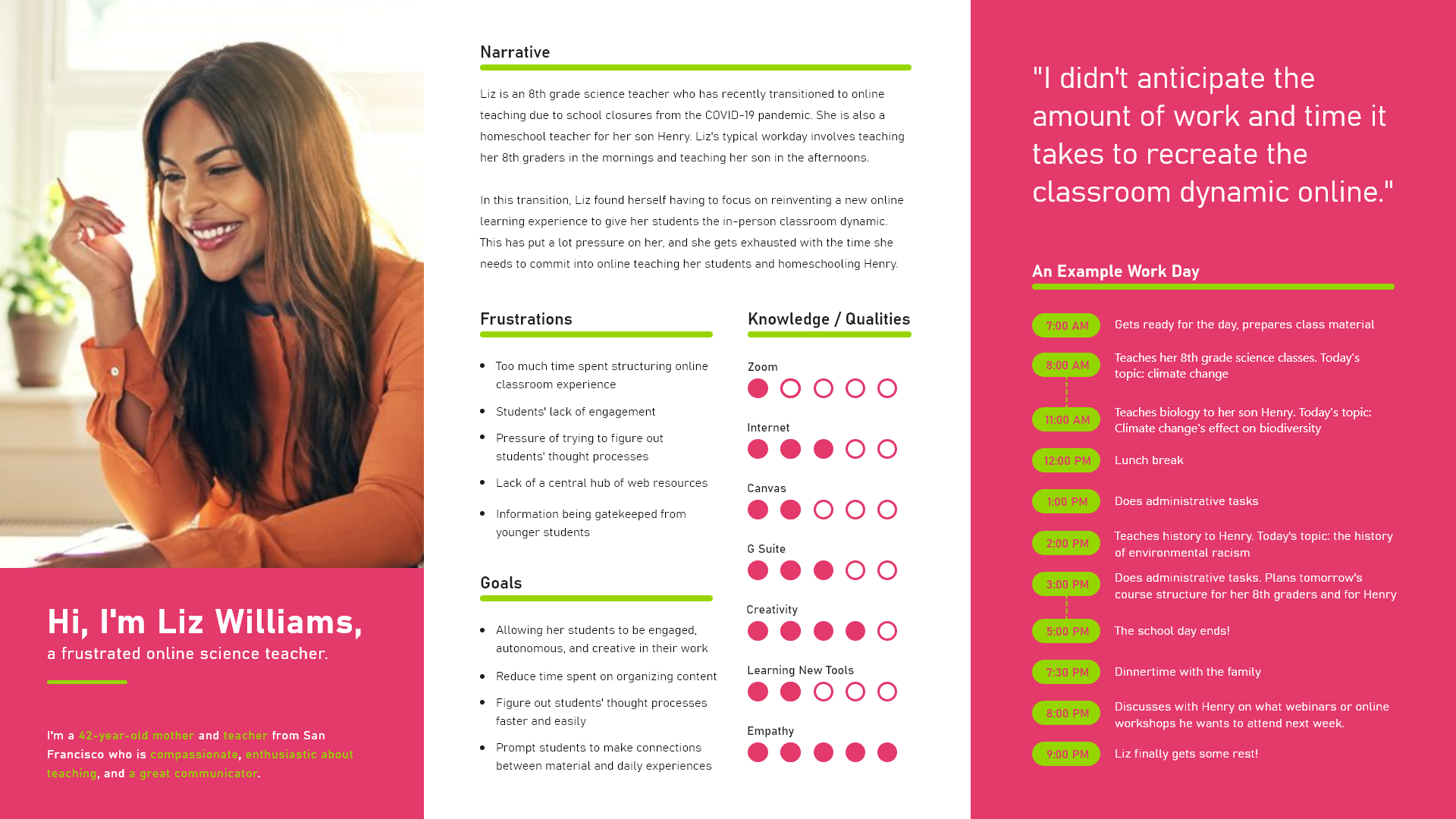
Teacher user persona.
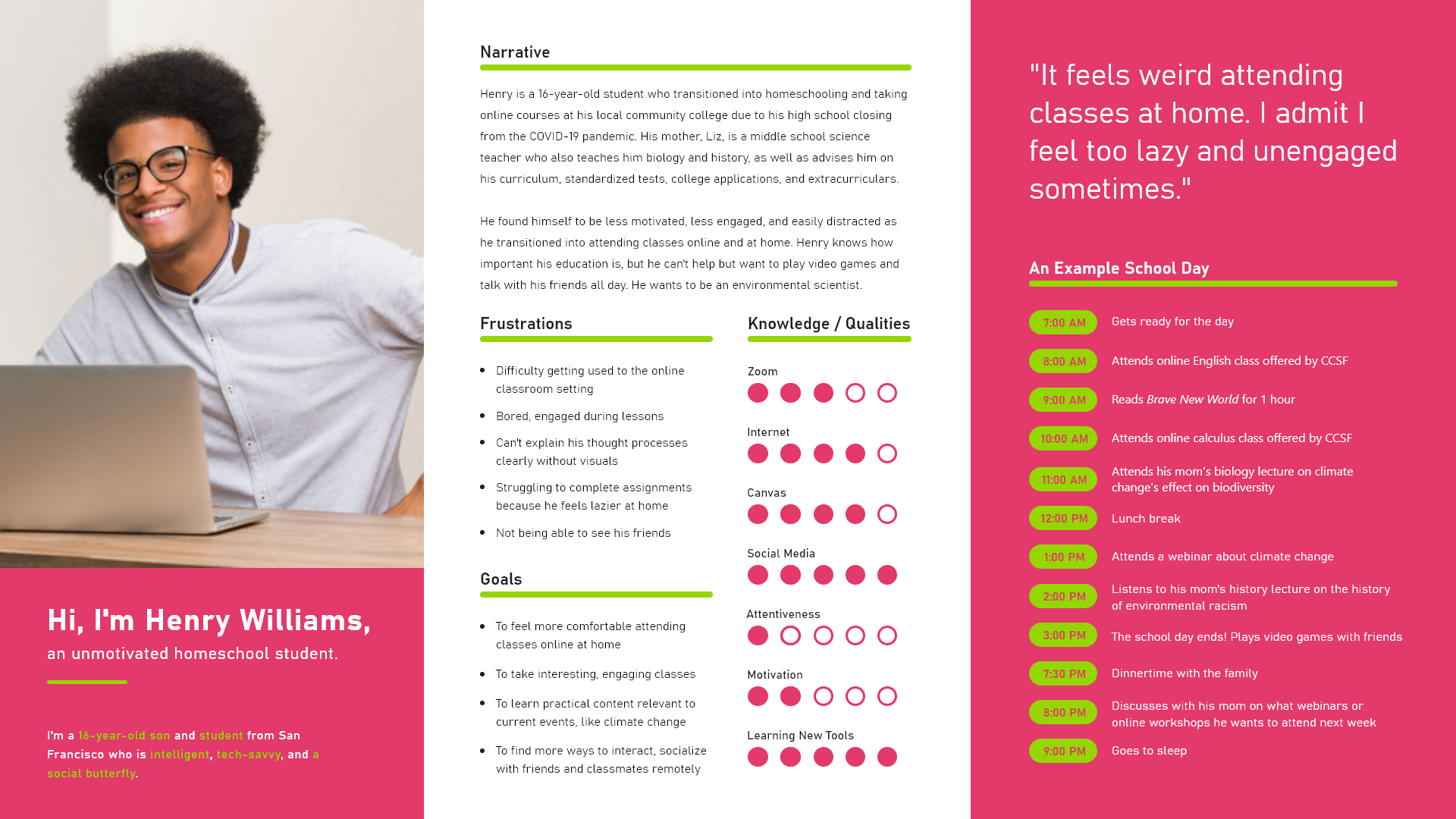
Student user persona.
Key Insights.
😥
01. Multiple Tools
There were several tools with varying purposes that overlapped, but with certain features, like inbox or grade review, being neglected. This ambiguity made learning each tool time-consuming.
🙊
02. Inconsistent Communication
Students and teachers switched from e-mail to platform inboxes. This made getting questions answered about time-sensitive assignments difficult, resulting in a lack of motivation from students.
📚
03. Low Assignment Completion
68% of students did not complete the assignments required of them because of the various places to submit them. There was not a single place for assignment submission.
Design Direction.
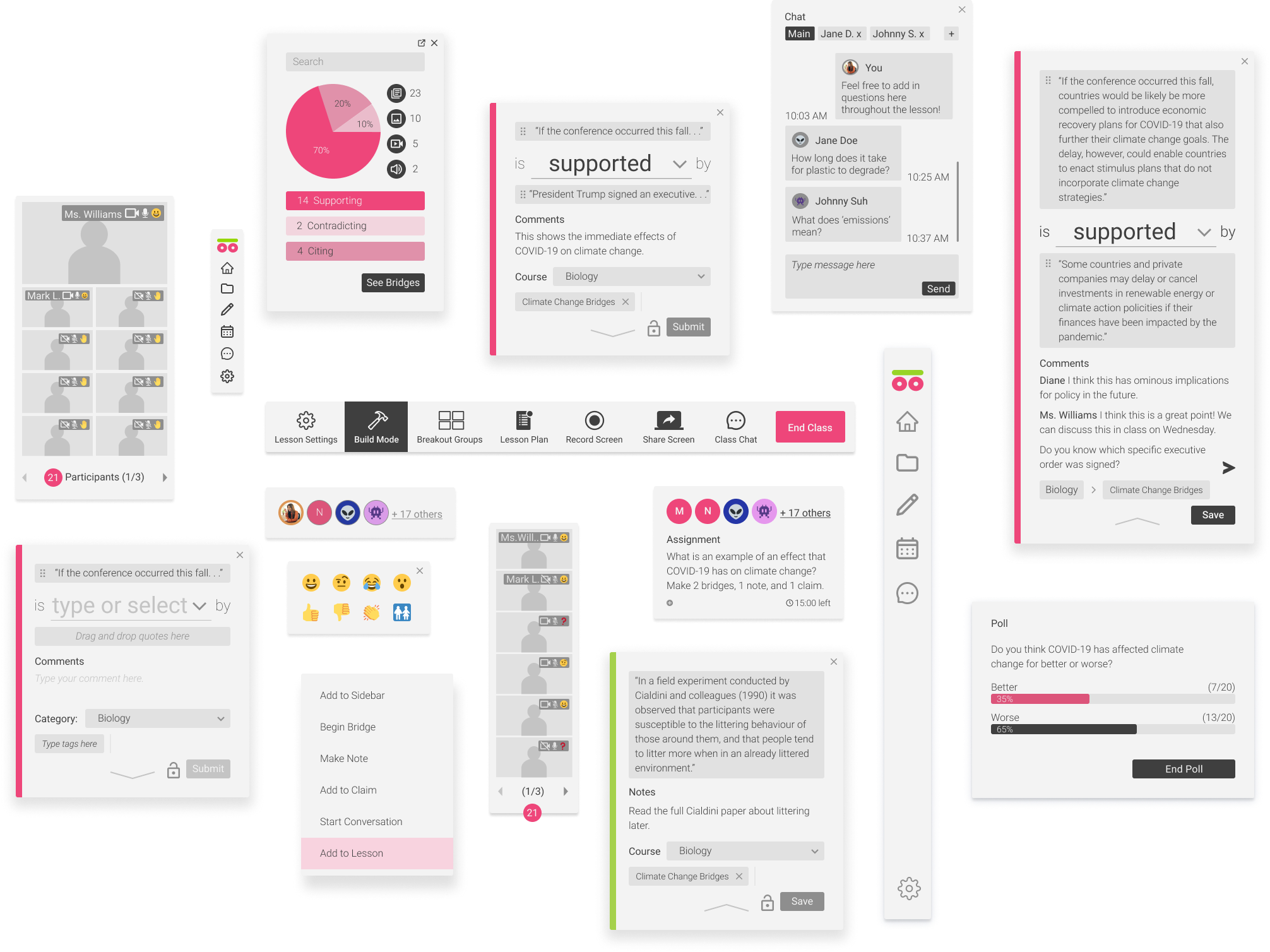
My goal was to design a simple, friendly experience that would empower students to learn autonomously and regain motivation. Our team determined that creating an on-page presence would be the most effective for allowing teachers and students to interact with Internet web pages in real-time.
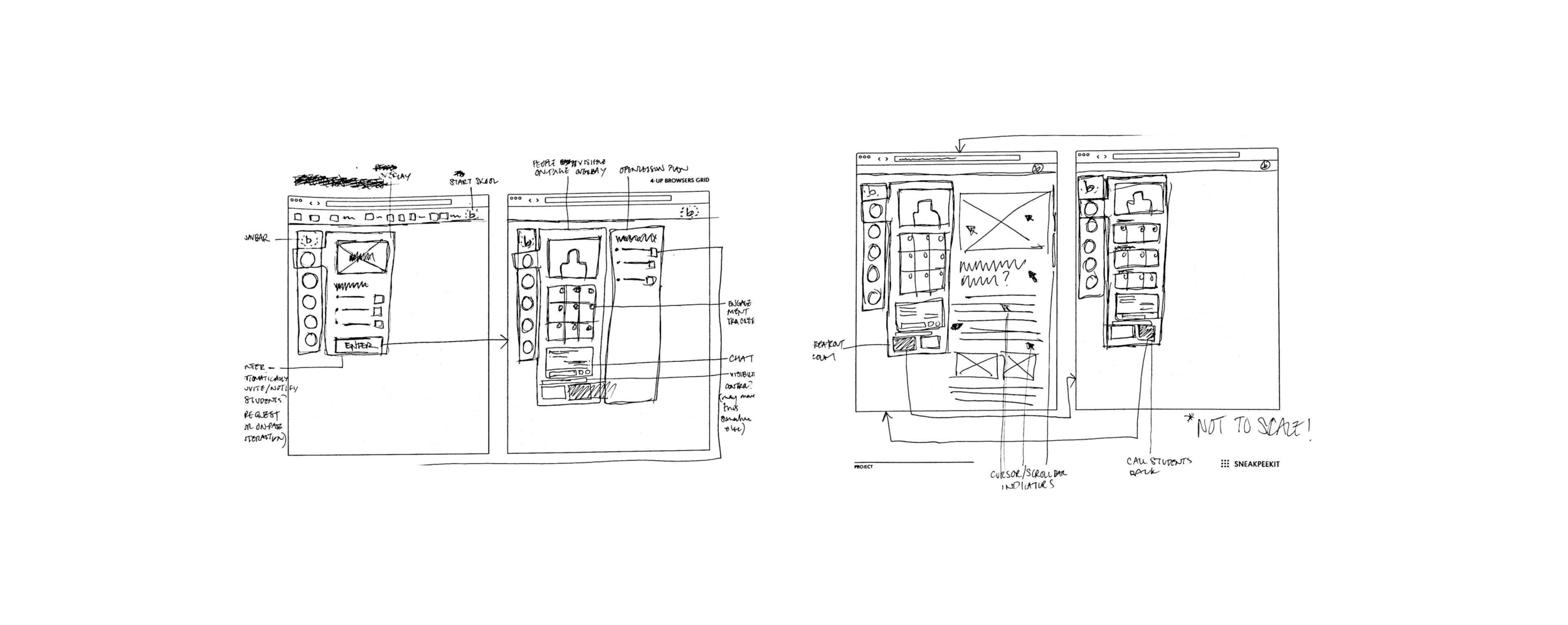
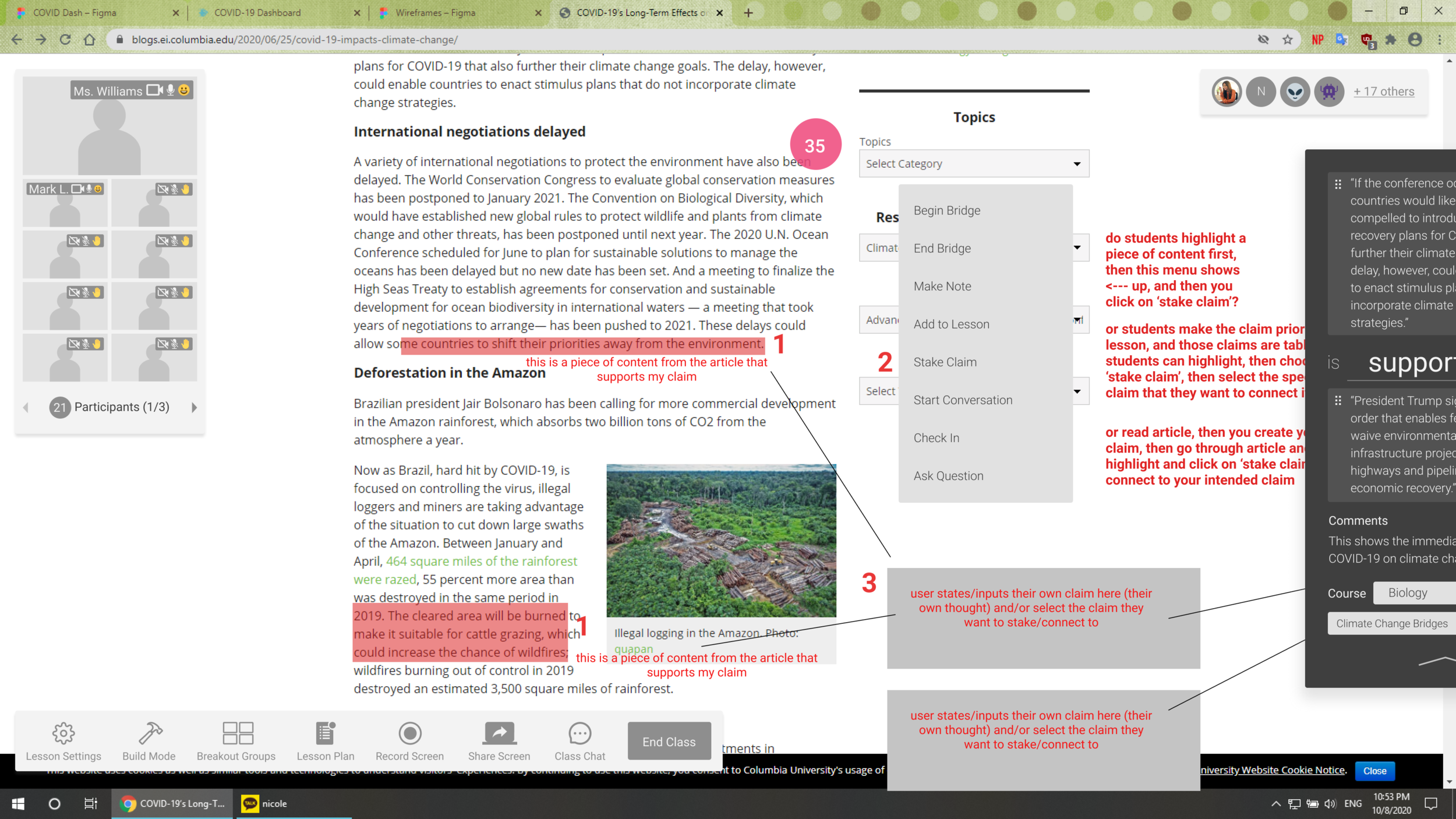
Annotations for on-page presence features.
HIGHLIGHTS
Building Bridges.
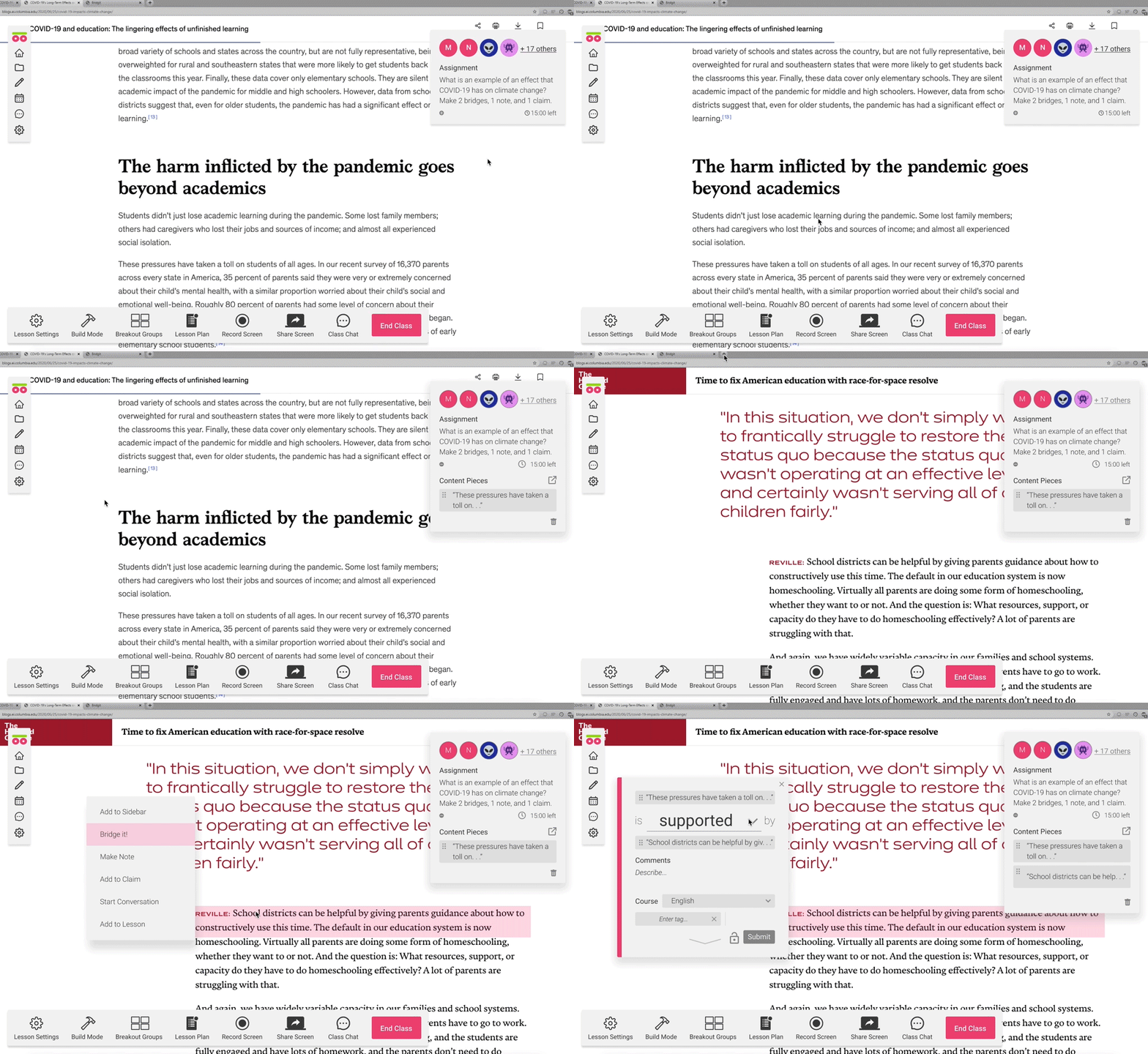
Bridges are connections between two pieces of information on the Internet with an established relationship — supporting, contradicting, and citing.
Creating bridges is the primary web page interaction that Skōōl provides for teachers and students. Our team created the Bridging feature to allow students to visually demonstrate their understanding, critical thinking, and reasoning using Internet resources.
Impact and Feedback.
4.7 / 5
average rating on how participants felt when finding information within the prototype.
48%
decrease (quicker) in bridge task completion time compared to the first round of tests.
4.3 / 5
average user rating on the prototype’s overall user experience.